
TikTok dominates worldwide thanks to its massive user base, nonstop content flow, and smart algorithm.
It ranks among the top five social platforms, with over 1.59 billion monthly users and millions of daily uploads. This scale gives creators, brands, and everyday users a real chance to reach global audiences fast.



Why TikTok Dominates Worldwide
TikTok counts 1.59 billion monthly active users worldwide, making it the fifth-largest social network and a regular source of viral trends.
Short, snackable clips published every day exceed 34 million, keeping feeds constantly refreshed.
Installing TikTok for Free on Any Device
Gain instant access in minutes because the download is completely free.
iPhone or iPad
- Open the App Store.
- Type “TikTok” in Search.
- Tap Get, confirm with Face ID or password, and wait for the install to finish.
Android phone or tablet
- Launch Google Play Store.
- Enter “TikTok” in the search field.
- Hit Install and allow automatic setup.
Updates arrive regularly, so enable auto-update to keep new effects and security patches rolling in without effort.
Creating Your Account Securely
A solid profile helps algorithms recommend the right audience and protects personal data.
- Sign-up choices include email, mobile number, Google, Apple, or Facebook accounts.
- Birthdate entry verifies eligibility; guardians worldwide manage under-13 profiles through restricted experiences.
- Password strength matters—mix at least twelve characters, symbols, and numbers.
- Profile upgrade: add a clear photo, 80-character bio, and optional links to Instagram, YouTube, or any website relevant to your goals.
Accounts default to public, yet privacy toggles let you switch to private if tighter control suits your situation.
Touring the Interface Efficiently
Knowing the layout shortens the learning curve and boosts interaction quality.
| Icon | Function | Why It Matters |
| Home | Switch between For You and Following feeds | Curated discovery or focused viewing |
| Discover / Friends | Track global hashtags, effects, sounds | Spot emerging trends early |
| + (Create) | Opens camera or upload panel | Start producing content instantly |
| Inbox | Direct messages and activity | Maintain community ties |
| Profile | View or edit your page | Monitor growth and settings |
Swipe upward to move through clips, tap a profile picture to follow, double-tap for a like, or hold for quick “Not Interested” feedback that refines future recommendations.
How to Use TikTok on Making an Engaging Videos
Video creation becomes straightforward once you master TikTok’s native tools.
- Tap + and pick 15-sec, 60-sec, 3-min, or 10-min timing.
- Select a trending sound or import original audio; popular tracks raise discovery odds.
- Record in segments—short bursts simplify retakes and creative cuts.
- Apply filters, beauty effects, stickers, captions, and voice-over to clarify or entertain.
- Finish by adding proactive captions, three to five relevant hashtags, and an eye-catching cover frame.
Participating in Challenges, Duets, and Stitch
Joining collaborative formats propels visibility because algorithms boost interactive content.
Challenges:
- Check Discover for branded or organic tags such as #LevelUp.
- Follow instructions and required hashtags to enter automatically.
Duet:
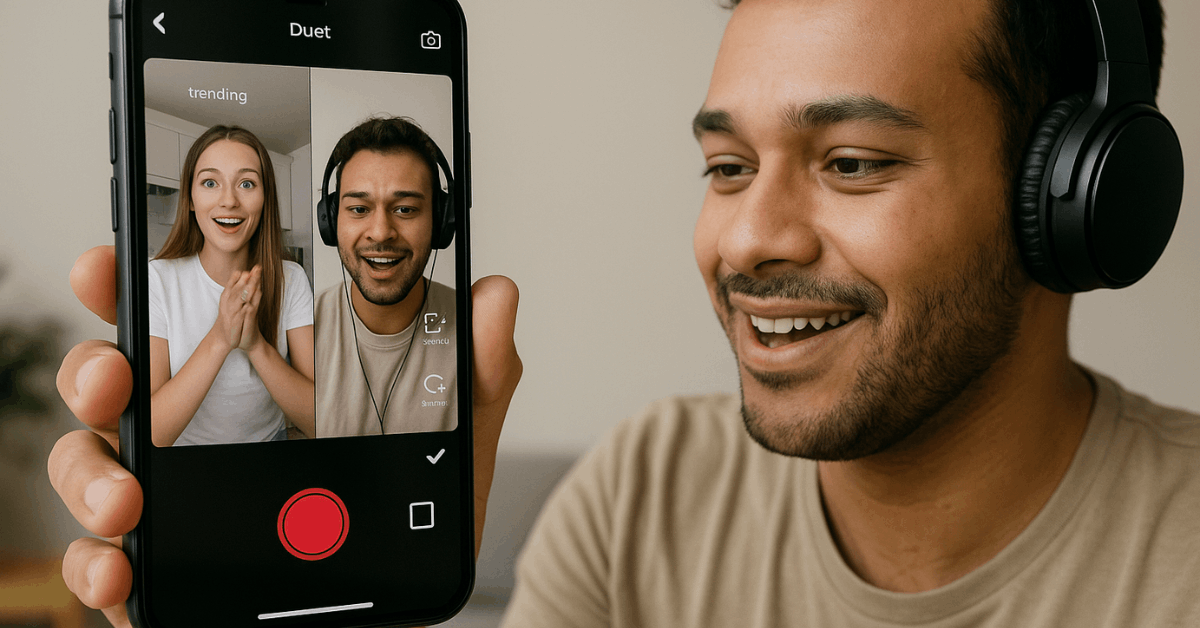
- Hit Share ➜ Duet below any public video.
- Record side-by-side commentary, harmony, or reaction.
Stitch:
- Choose Share ➜ Stitch, clip up to five seconds from the original, then append your continuation.
Effort invested in these features often triggers viral loops and follower spikes.
Safety and Privacy Essentials
Confident usage depends on well-managed security settings rather than blind trust. Switch individual posts to Friends or Private if certain clips target restricted circles.
Limit direct messages to mutual followers to cut unsolicited spam worldwide. Activate Screen-Time Management under Digital Well-Being and set daily limits aligned with personal productivity goals.
Report harassment, misinformation, or dangerous acts via the built-in menu; enforcement teams act promptly on valid flags.
How Does Earning and Monetization Work?
Monetize creativity once audience metrics meet eligibility thresholds.
| Method | Requirements | Potential Benefits |
| Creator Fund | 10 k followers + 100 k recent views | Revenue share from ad pool |
| Creator Marketplace | Active, authentic engagement | Brand sponsorship matches |
| Live Gifts & Tips | Followers aged 18+ can send coins | Direct fan support |
| Affiliate Links | Product partnerships | Commission per sale |
| Merchandise | Own physical or digital goods | Independent income stream |
Collaboration and authenticity remain vital; align sponsorships with community interests to maintain trust.

Growing Your Audience Strategically
Consistent growth relies on deliberate content and analytic feedback rather than luck.
- Define your niche so algorithms match your clips to the right viewers.
- Post at peak times indicated under Analytics ➜ Followers Activity.
- Use three to five hashtags—mix broad and niche tags for balanced reach.
- Engage: reply to comments, like related videos, and duet creators in the same field.
- Cross-promote on Instagram, YouTube, X, and LinkedIn, embedding your TikTok QR code for one-tap access.
Analytics for Data-Driven Improvement
Numbers reveal what resonates and what flops, preventing random guessing.
- Overview displays total views, profile visits, follower growth.
- Content tab ranks posts by watch time, rewatches, shares, and completion rate.
- Follower insights break down age, gender, top territories, and active hours.
Track watch time and retention curves weekly, then iterate: shorten dull intros, test hook styles, and refine topics aligning with higher completion rates.
Power User Shortcuts and Hidden Tools
Small hacks elevate efficiency and creativity beyond basic usage.
- Upload pre-edited videos: tap Upload, choose multiple clips, then fine-tune inside TikTok.
- Slideshow Templates turn still photos into dynamic reels without external software.
- Convert any clip into a GIF through Share ➜ Share as GIF, perfect for meme marketing.
- Use QR codes on packaging or swag to funnel offline audiences directly to your profile.
- Remove outdated clips quickly via ··· ➜ Delete inside the post menu.
Quick Troubleshooting and FAQs
Speedy fixes keep momentum alive whenever obstacles appear.
| Issue | Rapid Solution |
| App crashes | Clear cache under Settings ➜ Free up space, then reboot device. |
| Upload stuck | Switch from Wi-Fi to mobile data or vice versa, then retry. |
| Audio sync lag | Record in segments or reduce filter layers that strain processors. |
| Shadow-ban suspicion | Review Community Guidelines, delete flagged posts, wait 48 hours while posting fresh, policy-safe content. |
Conclusion
Install the TikTok App, learn the interface, publish purposeful videos, analyze results, and refine relentlessly. Implement these steps, and global trends will no longer pass you by; they will originate from your creativity.